

If you have been keeping up with the pace of AI tooling over the last two years, you already know the landscape has shifted dramatically. The tools developers use to write code, debug applications, deploy projects, and manage infrastructure have all been touched by AI in a meaningful way.
And the numbers back it up. A 2024 GitHub survey of 2,000 software development professionals across the US, India, Brazil, and Germany found that over 97% of respondents had used AI coding tools at work at some point. That is not a niche experiment anymore. That is the default state of software development.
But not every AI tool that calls itself a developer tool is actually worth your time. Some are genuinely productivity-changing. Others are wrappers with a ChatGPT prompt underneath.
This guide covers the AI tools that are actually making a difference for developers in 2026, what each one does well, where it fits in your workflow, and which ones are worth trying first.
What Makes an AI Tool Actually Useful for Developers?

Before diving into the list, it helps to set a filter. A lot of tools market themselves as AI-powered without that label meaning much in practice.
According to the same GitHub survey, developers who use AI tools report spending the saved time on higher-value work: designing systems, collaborating with teammates, and meeting customer requirements more effectively. The tools that produce that outcome share a few traits:
- They reduce a real bottleneck, not just automate something already easy
- They work inside the tools you already use, or replace them convincingly
- They produce output you can actually ship, not just output that looks good in a demo
- They get faster the more you use them, learning your codebase or preferences over time
With that filter in mind, here are the tools that pass it in 2026.
AI Coding Assistants
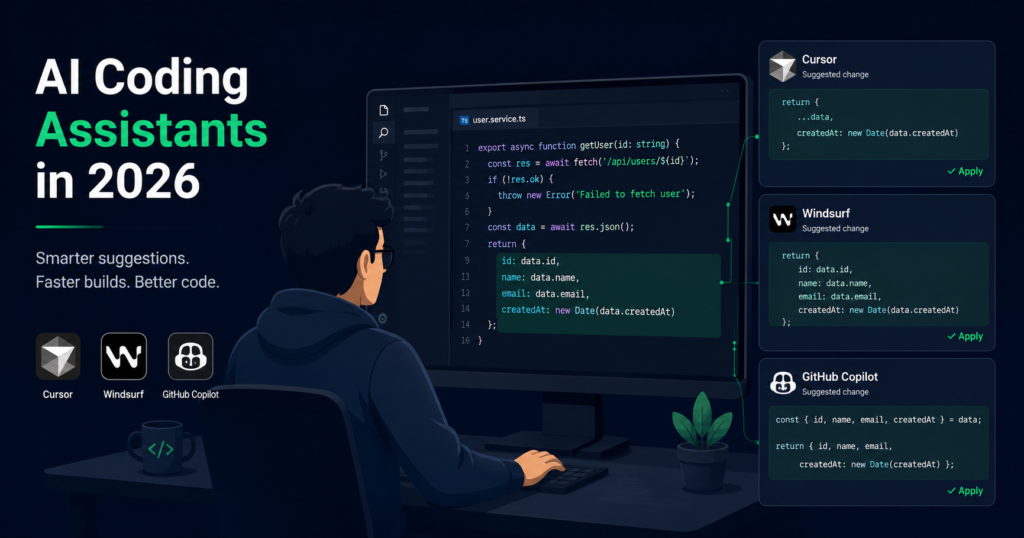
The biggest shift in developer tooling over the last two years has happened right inside the code editor. AI coding assistants have moved from glorified autocomplete to tools that understand your entire codebase, reason about it, and execute multi-step changes on your behalf. These three are the ones worth knowing in 2026.
Cursor
Cursor is a code editor built on VS Code with AI deeply integrated into the editing experience. Unlike GitHub Copilot, which sits alongside your existing editor, Cursor rebuilds the editor with AI as a first-class citizen.
The standout feature is its ability to understand your entire codebase, not just the file you have open. You can ask it to find where a specific pattern is used across your project, explain why a function behaves a certain way, or refactor something that touches multiple files at once.
For developers working on large codebases, this context-awareness is the difference between a tool that helps you write new lines and one that helps you reason about existing code.
Cursor works best for: mid-to-senior developers who want AI that understands their full project, not just the current file.
Windsurf
Windsurf takes a slightly different approach. Where Cursor leans into codebase-wide context for existing projects, Windsurf focuses on what it calls agentic flows. Instead of suggesting the next line, it can take a task description and execute a multi-step sequence of edits across your project.
Tell Windsurf to “add input validation to all form submission handlers” and it will find them, update them, and show you a diff of every change. That kind of multi-file, multi-step editing used to require either a developer knowing exactly where to look or a search-and-replace that missed edge cases.
Windsurf works best for: developers who want AI that executes tasks rather than just suggesting code.
GitHub Copilot
GitHub Copilot is the tool most developers already know. In 2026 it has matured considerably. The autocomplete is tighter, the multi-line suggestions are more accurate, and the Copilot Chat feature inside VS Code handles more complex questions about your codebase.
GitHub’s own research found that developers using Copilot completed tasks up to 55% faster than those who did not. For developers who do not want to switch editors or learn a new tool, Copilot remains the easiest on-ramp to AI-assisted coding.
Copilot works best for: developers who want AI assistance without changing their existing setup.
AI App Builders

Not every developer wants to start a project from a blank file. AI app builders let you describe what you want to build and generate a working application, frontend, backend, and database included, in minutes. The output is real code you own, not a locked-down no-code tool. Here are the two leading options right now.
Bolt.new
Bolt is a browser-based full-stack app builder. You describe what you want to build, and Bolt generates a working application with a frontend, a backend, and a database schema. No local setup required.
What makes Bolt genuinely useful is that the output is real code, not a no-code abstraction. You can export the project, push it to GitHub, and continue developing it however you prefer.
For prototyping internal tools, quick MVPs, or proof-of-concept projects, Bolt removes the scaffolding time that used to eat the first day of any new project.
Bolt works best for: developers and technical founders who want to go from idea to working prototype as fast as possible.
Replit
Replit has been around longer than most AI coding tools, but its AI features have caught up significantly. The platform gives you a browser-based development environment with AI assistance built in, which means zero local setup and instant collaboration.
The AI agent in Replit can build features, fix bugs, and explain code while you watch. For teams that need to share a working environment quickly or for developers who work across multiple machines, the zero-setup angle is genuinely useful.
Replit works best for: developers who want a collaborative, browser-based environment with AI built in from the start.
AI Deployment and Infrastructure Tools
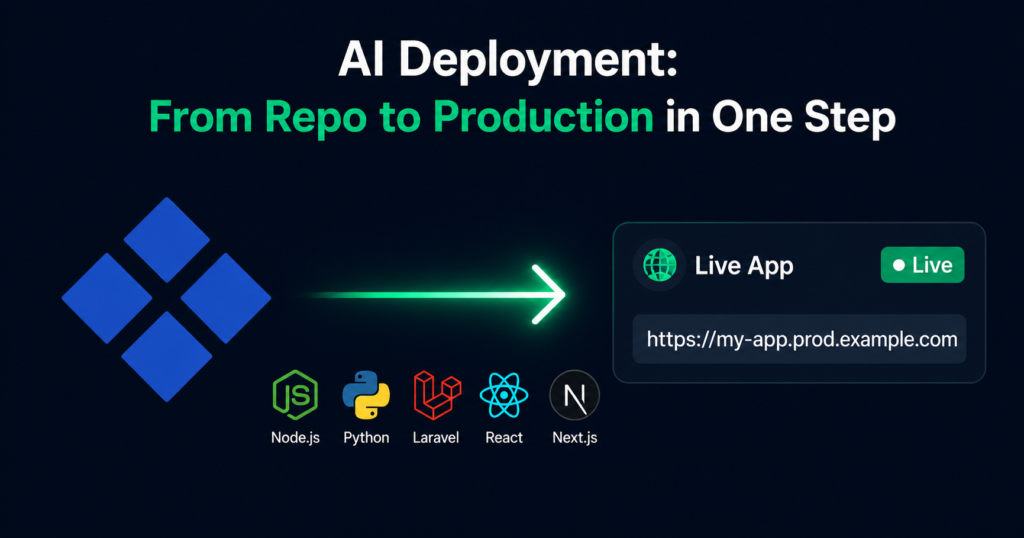
Building an app is only half the job. The other half is getting it live, keeping it running, and making sure every code change deploys without manual intervention. This is the part of the workflow that AI tooling has been slowest to address, but that is changing fast.
Kuberns
Building an app is one problem. Getting it into production is a different one.
Kuberns is an agentic AI cloud platform that reads your repository, detects your stack, and handles the full deployment automatically. No Dockerfiles, no infrastructure configuration, no manual environment setup. The AI figures out what your app needs, runs the appropriate build and setup commands, and deploys it with CI/CD enabled from the first push.
For developers who build with AI tools like Cursor, Bolt, or Replit and then need to get those apps live, Kuberns closes the loop. You go from a GitHub repo to a live HTTPS URL without writing a single configuration file.
It handles Node.js, Python, Laravel, Django, React, Next.js, and more. The deployment flow is the same regardless of stack: connect your repo, set your environment variables, deploy.
Read more about how AI-powered deployment works: https://kuberns.com/blogs/after-vibe-coding-deploy-your-app/
Kuberns works best for: developers who want to skip infrastructure setup entirely and go from code to production in one step.
AI Debugging and Code Review Tools

Debugging and code review are where a lot of developer time quietly disappears. AI tools in this category either help you understand unfamiliar code faster or give you a smarter way to manage the context and snippets you accumulate across a project. These two take different approaches to the same problem.
Pieces for Developers
Pieces is a local AI assistant that runs on your machine and builds a personal knowledge base from your development activity. It captures code snippets, remembers context from your workflow, and surfaces relevant pieces when you need them.
The offline-first approach is meaningful for developers who work with sensitive codebases or who prefer not to send their code to external servers. The AI understands the context around each snippet, not just the snippet itself.
Pieces works best for: developers who want a personal AI memory layer that stays private and local.
Sourcegraph Cody
Cody is an AI coding assistant built specifically for large codebases. Where most AI tools struggle with enterprise-scale repositories, Cody is designed to index and understand codebases with millions of lines of code.
For teams working on legacy systems or large monorepos, the ability to ask questions like “where is the payment processing logic?” or “what calls this API endpoint?” across the full codebase is a genuine time saver.
Cody works best for: engineering teams on large or legacy codebases who need AI that can navigate complexity.
AI Testing Tools

Testing is the part of development that most developers agree is important and most consistently skip when under pressure. AI testing tools do not just generate tests for you. The better ones maintain them automatically when your code changes, which removes the biggest reason test suites fall out of date.
Testim
Testim uses AI to generate, maintain, and run end-to-end tests for web applications. Writing tests is the part of development that developers most consistently put off, and maintaining them is even worse.
The maintenance angle is what sets Testim apart. Tests break when the UI changes. Testim’s AI detects when a UI element has moved or been renamed and updates the test automatically instead of failing until a developer manually fixes the selector.
Testim works best for: teams who want test coverage without spending half their time maintaining test scripts.
Diffblue Cover
Diffblue Cover focuses specifically on Java unit test generation. It analyses your code and generates tests that cover the logic you have written, targeting the edge cases that developers typically miss when writing tests manually.
For Java teams that need to increase test coverage quickly without pulling developers off feature work, it is one of the more practical AI testing tools available.
Diffblue works best for: Java development teams who need to increase unit test coverage at scale.
AI Documentation Tools

Documentation is almost always the last thing updated and the first thing developers complain about when it is wrong. AI documentation tools solve this by generating and maintaining docs directly from your codebase, so they stay accurate without anyone having to remember to update them.
Mintlify
Mintlify generates and maintains documentation from your codebase. It reads your functions, classes, and API definitions and produces readable documentation that stays in sync as your code changes.
A 2025 Stack Overflow developer survey found that outdated or missing documentation is one of the top frustrations developers face when working with internal or external codebases. Mintlify directly addresses that problem by removing the manual update step entirely.
Mintlify works best for: teams who want documentation that reflects the current state of the codebase without manual updates.
How to Choose the Right AI Tool for Your Workflow
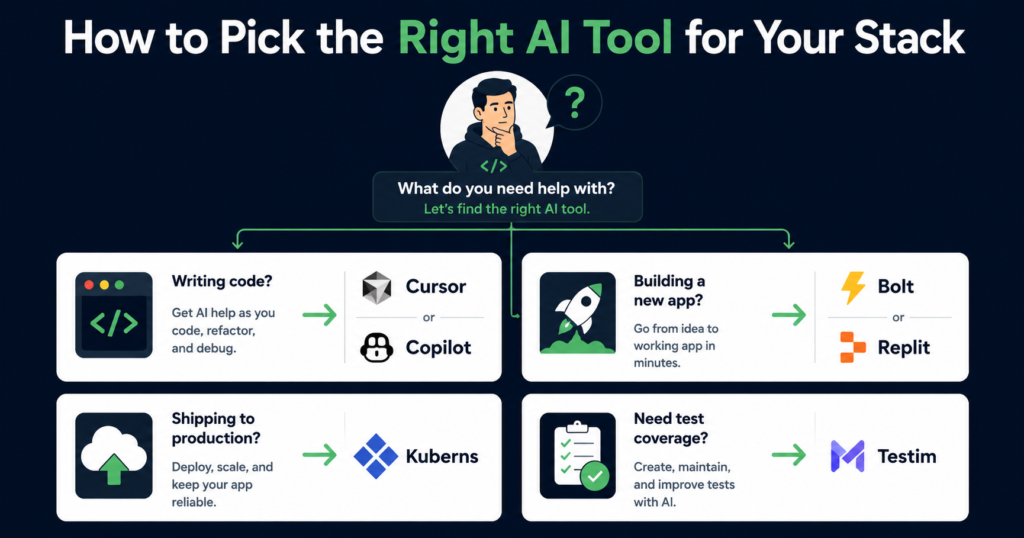
With this many options available, the risk is adding too many tools and having none of them make a meaningful impact.
A practical approach is to pick one tool per workflow stage:
- One AI coding assistant for the editor (Cursor or Copilot)
- One AI builder for new projects and prototypes (Bolt or Replit)
- One AI deployment tool so finished code actually ships (Kuberns)
- One AI testing tool if test coverage is a bottleneck (Testim)
Start with the coding assistant since that is where most developer hours go. Add the others as you hit the specific bottleneck each one solves.
The goal is not to use every AI tool available. It is to remove the parts of your workflow that slow you down the most.
Final Thoughts
AI tooling for developers in 2026 has moved well past autocomplete. The best tools today understand your codebase, execute multi-step tasks, build full applications from descriptions, and handle the infrastructure that gets apps into production.
The GitHub survey data makes clear that nearly every developer is already experimenting with these tools. The ones getting the most out of them are not using the most tools. They picked two or three that fit their actual workflow and used them consistently enough to get fast with them.
Start with one. Get good at it. Then add the next one.

